> For the complete documentation index, see [llms.txt](https://guide.tonaly.app/llms.txt). Markdown versions of documentation pages are available by appending `.md` to page URLs; this page is available as [Markdown](https://guide.tonaly.app/songwriting/playback-settings/metronome.md).
# Metronome
> Be sure that you are in the "Songwriting" mode of the app.
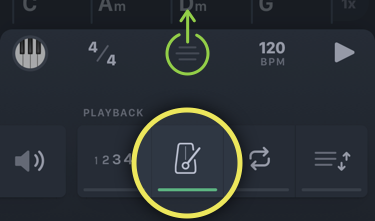
Then swipe up the sheet at the bottom of the screen and tap on the icon highlighted below.
If you don't see it, you must scroll the list of icons horizontally.
You can adjust the volume of the metronome here:
{% hint style="info" %}
Note that the metronome is only available in the "Songwriting" mode of the app.
{% endhint %}